


For foreigners
外国人の方へ
Our hospital also provides online medical treatment for foreigners
Do you have this problem?

I want to receive medical treatment while traveling or waiting.

I want my usual medicine I’m too busy to go to the hospital

I can’t go to the hospital because I have a fever or feel unwell.
Solve those problems with online medical treatment!
Consultation available from anywhere
Even first-time patients can receive treatment.
You can also pick up your medication at a nearby pharmacy!
Flow of online medical treatment
1. Book your desired consultation date and time online
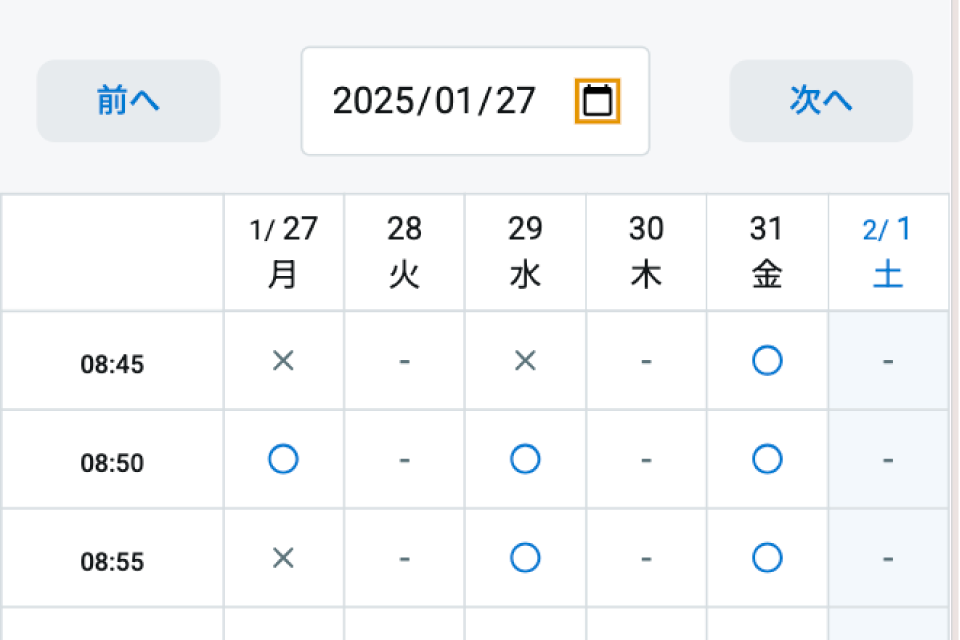
Click the button below, select “Online” from the department, select your desired date and time, and make a reservation.
2. Web interview

Once you have made your reservation, please answer the pre-screening questionnaire.
An email regarding the medical questionnaire will be sent to the email address you entered when registering for your reservation, so please complete it before your appointment.
Even if you don’t have an answer, don’t worry, we will ask you through online medical treatment.
An email regarding the medical questionnaire will be sent to the email address you entered when registering for your reservation, so please complete it before your appointment.
Even if you don’t have an answer, don’t worry, we will ask you through online medical treatment.
3. Download the reservation app “Digisma”
For smooth accounting after online medical treatment, please download the app below and register your credit card, insurance card, etc.


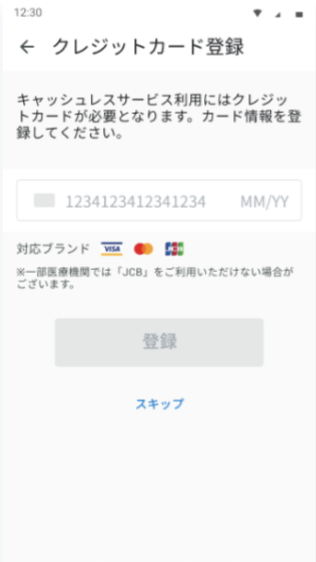
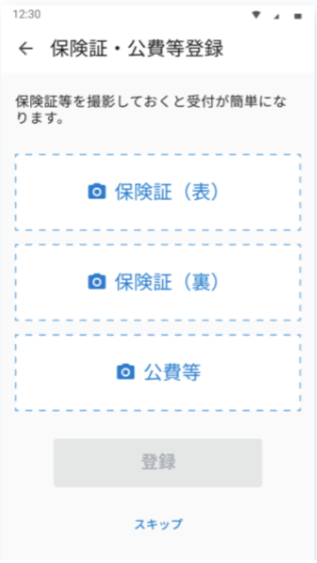
①Credit card registration: If you wish to pay by credit card, please register.
②Register your insurance card: If you have an insurance card, please register by photographing both the front and back.
②Register your insurance card: If you have an insurance card, please register by photographing both the front and back.
4.Register on official LINE

At our hospital, we conduct online medical treatment using official LINE video calls.
You will need to register for our hospital’s official LINE, so please be sure to register for the official LINE.
You will need to register for our hospital’s official LINE, so please be sure to register for the official LINE.
5. Online medical treatment

The flow of the reservation on the day is as follows.
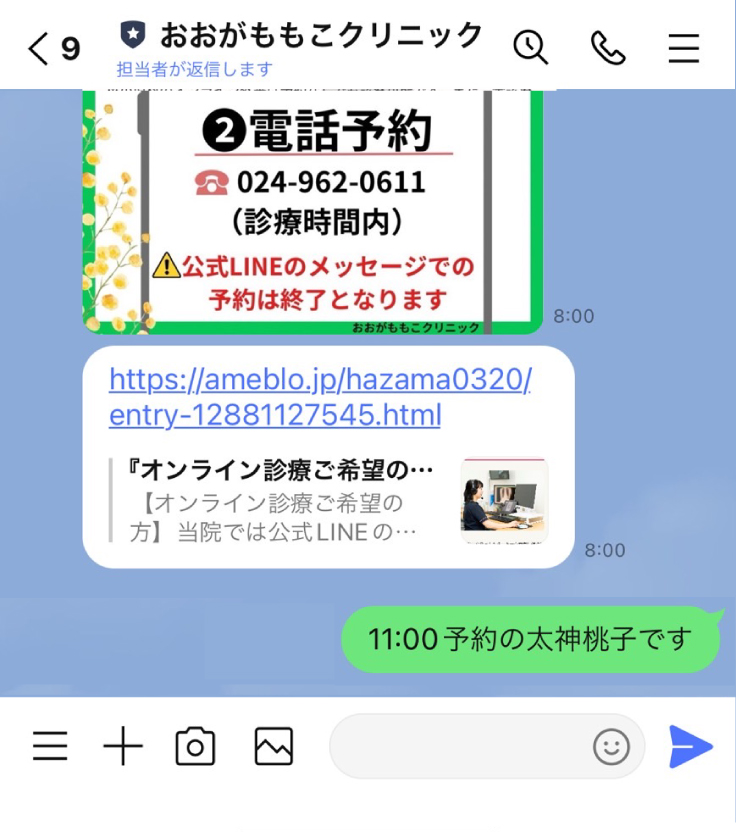
①When it is time for your appointment, please send the following message to our hospital’s official LINE talk screen.
“〇:〇〇(time) Reservation name (full name)”
*If you cannot connect by the time, priority will be given to the next reservation.
“〇:〇〇(time) Reservation name (full name)”
*If you cannot connect by the time, priority will be given to the next reservation.
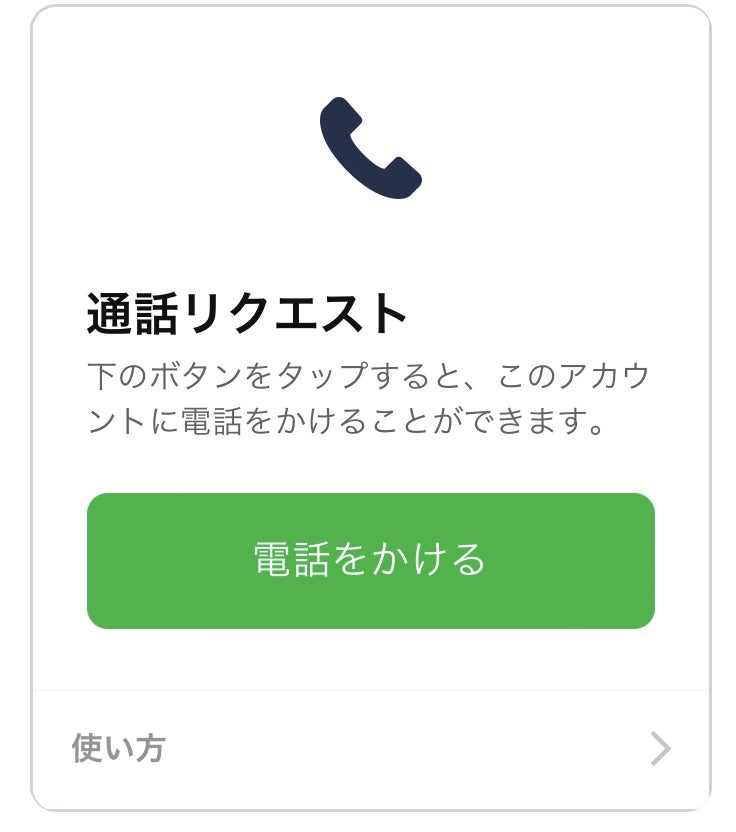
② Our clinic will send you a call request on the talk screen, so please press the green button that says “Call”.
*Calls cannot be made unless requested by our hospital, so please be sure to respond to this request.
*Calls cannot be made unless requested by our hospital, so please be sure to respond to this request.
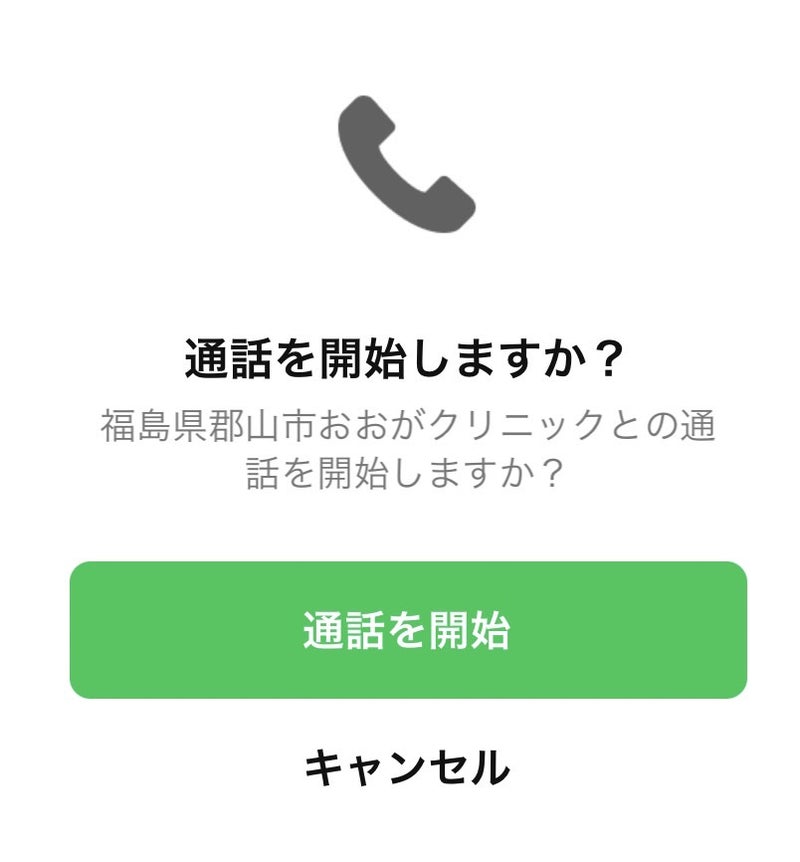
③Click “Start Call”.
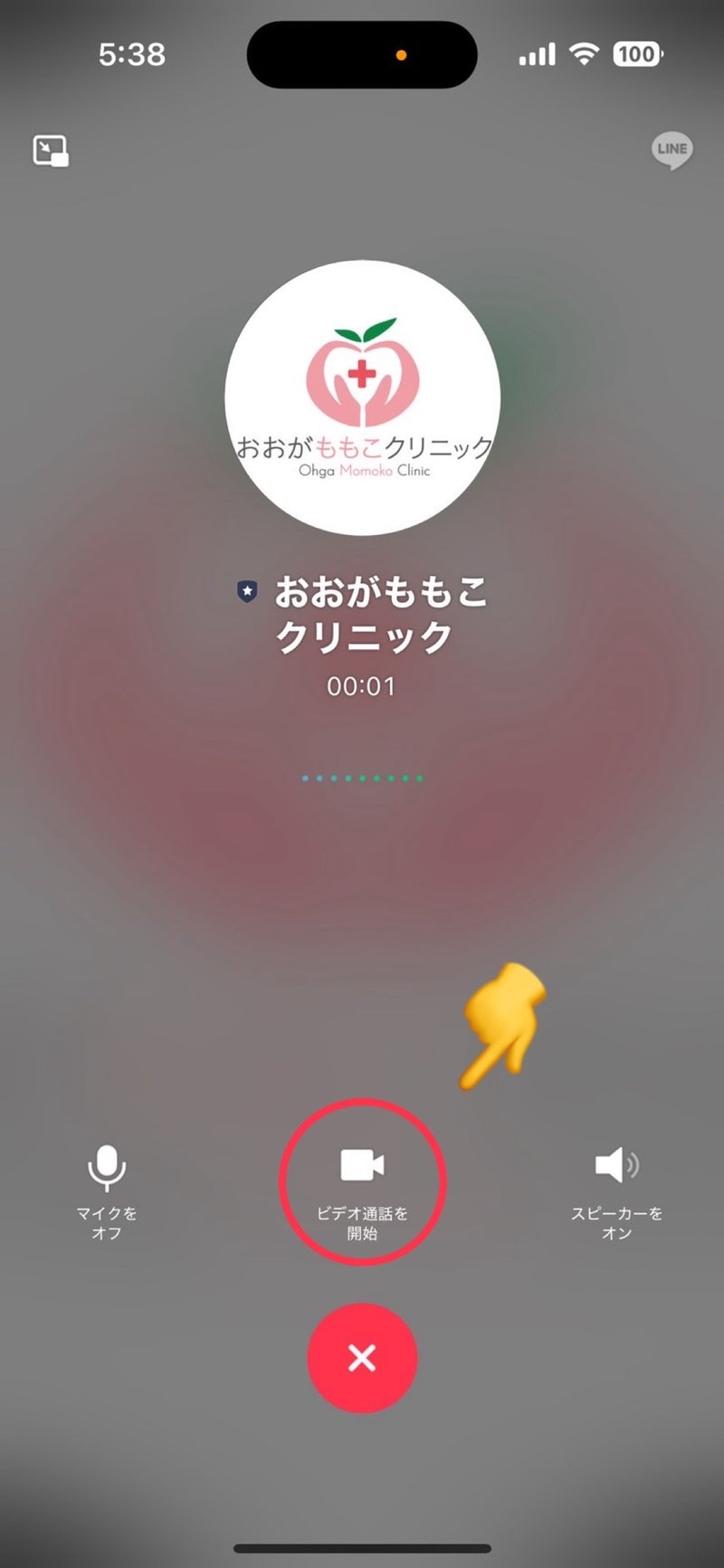
④Click “Start video call”.
⑤ Online medical treatment will begin. Please hang up when you are finished.
6. Accounting

You can pay using the following methods, but our hospital recommends payment using the Digismart Consultation Card app (1).
1. Digisma app payment.
If you have registered your credit card in advance, payment will be made automatically.
2. Credit card payment on official LINE.
If you are unable to register your credit card using the DigiSmart app, you will receive a payment URL on LINE, so please enter your credit information.
1. Digisma app payment.
If you have registered your credit card in advance, payment will be made automatically.
2. Credit card payment on official LINE.
If you are unable to register your credit card using the DigiSmart app, you will receive a payment URL on LINE, so please enter your credit information.
7. Prescription

You can send your prescription to the pharmacy of your choice and pick it up at the pharmacy of your choice. (It costs 550 yen to send a prescription)
About prescription mailing charges
In addition to the medical examination fee, the following will be charged.
550円
*A fee will be charged to mail the original prescription to the pharmacy.
550円
*A fee will be charged to mail the original prescription to the pharmacy.